
 |
News |  |
Tutorials | |
Projects | |
Reviews | |
Authors | |
Contact | |
Search | |
Links |  |
|
Admin | |

Playing Multiplayer Games via VPN : Creating a VPN
- Go to the Control Panel and click on Network Connections. Click "Create a new connection."
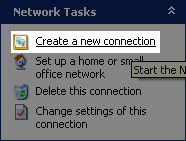
- Click Next. Then select "Set up advanced connection."

- Then choose to "Accept incoming connections."

- I don't think you need to enter anything in the next screen so just click Next. After that make sure you "Allow virtual private connections."

- Now you can create user name and password combinations that your friends will use to connect to your computer. Make sure they are enabled.
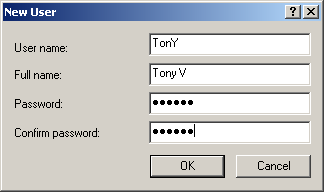
You don't need to worry about adding all your friends now. You can access this screen later by going to the Control Panel, clicking on Network Connections, right clicking "Incoming Connections," and selecting Properties. - Now select which network services you would like to share with the people that connect to you. To play any LAN games you at least need "Internet Protocol (TCP/IP)" enabled.
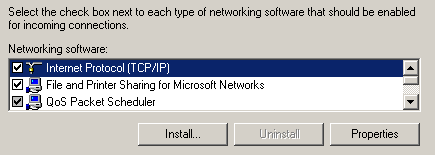
- Now that you're done setting up your VPN you should tell people that you want to connect to your VPN their username/password and your IP address (see "Connecting to a VPN" section for further info).
- Once someone connects to your VPN you can play any game with them as if it were a LAN game.
Author: Markavian
Last edited on: 28th Apr, 7:22 am
Please
rate this article.
« Prev page 'What is a VPN?' « » Next Page 'Connecting to a VPN' »

tutorial Pages
