
 |
News |  |
Tutorials | |
Projects | |
Reviews | |
Authors | |
Contact | |
Search | |
Links |  |
|
Admin | |

C&C Generals : World Building : Roads and Bridges
Motorways
My map has spacious flat areas for big fat motorways. The road tool in Generals is really easy to use, and will make it dead obvious for people which way they need to go.I've circled my map with a large set of motorways. They'll make good guides for adding buildings to the map, around the roads. Notice how I've coloured the map in with some grass, this is just to give the map a more european feel and make the motorways look better.
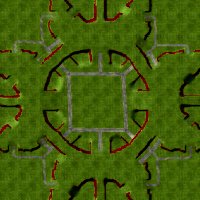
Motorways/Roads lead the way to the other bases and resource spots around the map.
Bridges
The road tool is also the best way to add bridges to your maps. (As apposed to adding bridges as fixed objects). Select the bridge type you want, and drag from point to point. Its a bad idea to have a bridge which turns mid way, just go from one ramp to another. If you want a turning point put a little mound in with a piece of curved road inbetween.
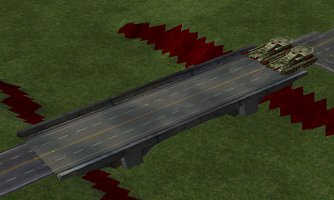
These bridges are only two tanks wide, making it difficult to attack across.
Road Detail
The roads I've added in the centre really bring the map alive, and thats without any texturing. I might still need to add extra pavements and side roads after buildings are in place.. but the roads form an excellent framework for other structured and elements on the map.From here I can go on to add important features such as Supply Docks, Oil Derricks, Civilian Buildings and Trees.
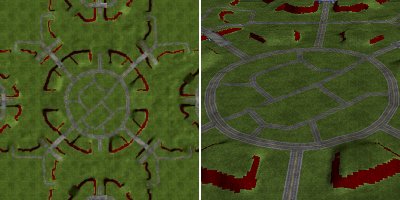
Roads add alot to a map on their own, already this map is looking much more alive and playable.
Author: Markavian
Last edited on: 16th Jun, 8:29 pm
Please
rate this article.
« Prev page 'Hill Building' « » Next Page 'Building Placement' »

tutorial Pages
